

- Table of Contents
- Introduction
- 1- What Self-Paced Learning Is and Why It Matters
- Why the Demand for Continuous Skill Improvement Is Growing
- The Main Categories of Learning Tools
- 2- Set Clear Goals Before Choosing Learning Tools
- A Five-Step Planning Process
- 3- Online Course Platforms for Structured Learning
- Leading Platforms Worth Considering
- Deciding Between Free and Paid Options
- How to Compare Platforms
- 4- Note-Taking and Knowledge Management Tools
- Tools That Work Well for Learners
- A Simple Method for Better Notes
- 5- Spaced Repetition and Practice Apps
- Apps That Put the Research into Practice
- How to Build Effective Flashcards
- 6- AI Tutors and Assistants for Personalised Learning
- Tools and Approaches to Try
- Five Habits That Keep AI Working for You
- 7- Focus and Time Management Tools for Learners
- Practical Tools and Techniques
- Protecting Your Learning Time
- 8- Hands-On Practice and Community Tools
- Where to Practise
- 9- Matching Tools to Your Skill Goals
- Choosing by Learning Preference
- 10- Measuring Progress and Avoiding Common Mistakes
- Ways to Measure Progress
- Common Mistakes to Avoid
- 11- Conclusion
Introduction
Most working professionals do not lack ambition when it comes to learning. What they lack is time, structure, and reliable feedback. Self-paced learning offers a practical answer, because it lets you study when it suits your diary rather than when a timetable demands it. The challenge is no longer finding content, since thousands of free and paid courses, apps, and videos are available at any moment. The real challenge is choosing the right tools, combining them sensibly, and using them consistently enough to see measurable skill improvement.
This guide takes a practical, step-by-step approach. It explains what self-paced learning involves, how to set goals before you download anything, and which categories of tools deserve your attention: online course platforms, note-taking systems, spaced repetition apps, AI tutors, focus and planning tools, and hands-on practice environments. You will also find comparison tables, a method for matching tools to your skill goals, advice on measuring progress, and answers to common questions. By the end, you should be able to assemble a lean personal toolkit that supports steady, visible improvement without overwhelming your schedule.
1- What Self-Paced Learning Is and Why It Matters
Self-paced learning is any form of study in which you decide when to start, how quickly to move, and how much time to give each topic. Unlike a classroom course with fixed sessions, it puts control in your hands. You might complete a short video module during a lunch break, revisit a difficult concept over a weekend, or skip material you already know. This flexibility is why it suits professionals who balance full-time work, family responsibilities, and career development.
The trade-off is that freedom requires discipline. Without a teacher setting deadlines, motivation can fade quickly, and it is easy to confuse watching with learning. That is why the tools in this guide focus not only on delivering content, but also on structure, memory, practice, and accountability, which are the four areas where self-directed learners most often struggle.
Why the Demand for Continuous Skill Improvement Is Growing
The pressure to keep learning is not a passing trend. According to the World Economic Forum's Future of Jobs Report 2025, workers can expect around 39% of their existing skill sets to be transformed or become outdated between 2025 and 2030. The same report explains that if the global workforce were made up of 100 people, 59 would need training by 2030. For individuals, that means learning cannot be left to occasional workshops. It has to become a repeatable habit, supported by tools that fit around real working lives.
The Main Categories of Learning Tools
Before exploring each category in detail, it helps to see the whole landscape at a glance. The table below compares the six types of tools covered in this article, so you can spot which ones match your needs.
Tool Category | Main Purpose | Example Tools | Typical Cost |
|---|---|---|---|
Course platforms | Structured lessons and assessment | Coursera, LinkedIn Learning, OpenLearn | Free to subscription |
Note-taking tools | Capture and organise knowledge | Notion, Obsidian, OneNote | Free to low cost |
Spaced repetition apps | Long-term memory and recall | Anki, Quizlet | Free to low cost |
AI tutors and assistants | Explanation, practice, and feedback | NotebookLM, Khanmigo, general AI assistants | Free to subscription |
Focus and planning tools | Consistency and time control | Google Calendar, Toggl Track, Trello | Free to low cost |
Practice and community platforms | Applied work and peer feedback | freeCodeCamp, Kaggle, GitHub | Mostly free |
2- Set Clear Goals Before Choosing Learning Tools
The most common mistake in self-paced learning is starting with the tool rather than the goal. Signing up for a platform feels productive, but without a clear outcome you are likely to collect half-finished courses. A short planning session saves weeks of wasted effort and makes every later decision easier.
A Five-Step Planning Process
Work through the following steps before you commit to any tool.
1- Audit your current skills. List the skills your role requires and rate your confidence in each one. The free skills assessment from the National Careers Service in the UK is a useful starting point if you want structured prompts.
2- Define one specific outcome. Replace vague aims such as "get better at data" with a measurable target, such as building a sales dashboard in Excel that your team uses by the end of next quarter.
3- Break the outcome into modules. Divide the skill into three to five components and place them in a logical order, so that each stage builds on the previous one.
4- Set a realistic weekly time budget. Three focused sessions of 30 to 45 minutes are far more sustainable than one exhausting weekend marathon that you dread repeating.
5- Schedule a review point. Choose a date four to six weeks ahead to check your progress, drop what is not working, and adjust your plan.
A written plan of this kind turns a vague intention into a genuine learning path. It also makes tool selection much simpler, because you know exactly what each tool needs to do for you.

Learn how to create an effective career development plan—assess skills, set goals, seek mentorship, and build a clear path for continuous growth.
3- Online Course Platforms for Structured Learning
Course platforms remain the backbone of most self-paced programmes because they provide sequenced content, assessments, and often a certificate you can add to your CV. The best choice depends on your goal, your budget, and how much structure you want.
Leading Platforms Worth Considering
1- Coursera: Offers individual courses and multi-course professional certificates from universities and companies. Many courses can be audited without paying, while paid options add graded assignments and shareable certificates. It suits learners who want academic depth combined with career relevance.
2- FutureLearn: A UK-based platform that works with universities and other institutions to deliver short courses and microcredentials. It is a good fit if you enjoy learning alongside other people and prefer a British academic context.
3- LinkedIn Learning: A subscription library of video courses covering business, software, and creative skills. Its main strength is breadth, and completed courses can be displayed on your LinkedIn profile.
4- Udemy: A marketplace where independent instructors sell courses on practical topics, from spreadsheet modelling to graphic design. Quality varies, so check recent reviews, the syllabus, and the last update date before buying.
5- OpenLearn: The Open University's free learning site, offering free courses and statements of participation. It is ideal for testing a subject before you commit any money.
Deciding Between Free and Paid Options
Free courses are excellent for exploring a topic, but paid programmes often add graded assignments, mentor support, and a credential that employers recognise. A sensible approach is to begin with a free introduction, confirm that the subject genuinely helps your work, and only then invest in a paid route. Before paying, check whether your employer offers a learning budget or subscription that you can use instead.
How to Compare Platforms
The table below summarises how these platforms differ in focus, cost, and the recognition they offer.
Platform | Best For | Cost Model | Recognition |
|---|---|---|---|
Coursera | University and industry-led courses and professional certificates | Free to audit some courses; paid for certificates | Shareable certificates |
FutureLearn | Short courses and microcredentials with a UK academic flavour | Mix of free and paid options | Certificates and microcredentials |
LinkedIn Learning | Business, software, and creative skills in short videos | Monthly or annual subscription | Certificates of completion |
Udemy | Practical, niche how-to topics from independent instructors | Pay per course | Certificates of completion |
OpenLearn | Testing a subject before committing money | Free | Statements of participation |
Whichever platform you choose, look for three quality signals: a clear syllabus with defined outcomes, practical assignments rather than video alone, and evidence that the content has been updated recently. Finish one course fully before starting another, because completion matters more than the size of your library.

Boost your skills fast with short certification courses. Explore benefits, how they work, and top options from Holistique Training.
4- Note-Taking and Knowledge Management Tools
Watching a video or reading a chapter is only the first step. Unless you capture and organise what you learn, most of it will fade within days. A note-taking system turns passive consumption into a personal reference library that you can search, revisit, and apply at work.
Tools That Work Well for Learners
1- Notion: A flexible workspace that combines notes, databases, and task lists. You can build a learning dashboard with one page per course, a resource list, and a tracker for weekly study sessions.
2- Obsidian: A note-taking app that stores plain text files on your own device and lets you link notes together. It suits learners who want to build connections between ideas over months or years.
3- Microsoft OneNote: A notebook-style tool that works well if your organisation already uses Microsoft 365. It handles typed notes, handwriting, images, and audio in one place.
A Simple Method for Better Notes
Tools matter less than habits. After each study session, write three short items in your own words: the main idea, one example from your own job, and one question you still cannot answer. This takes about five minutes and forces you to process the material rather than copy it. Tag each note with the skill it supports, so you can find it quickly when a real task arises.
Some learners still prefer handwriting for first-pass notes, and that is perfectly acceptable. The key is to transfer the essential points into a searchable digital system within a day or two, so that your knowledge stays accessible on any device and can be reviewed alongside your flashcards and course materials.
5- Spaced Repetition and Practice Apps
Remembering what you have learned is just as important as understanding it in the first place. Two techniques help enormously: retrieving information from memory rather than rereading it, and spreading practice over time rather than cramming. Apps built on these principles are among the most efficient self-paced tools available.
A major review by Dunlosky and colleagues, published in Psychological Science in the Public Interest, examined ten common learning techniques. It rated practice testing and distributed practice as the two with the highest utility, while rereading and highlighting were rated low. In practice, that means self-quizzing and spacing your revision will usually serve you better than another read-through of your notes.
Apps That Put the Research into Practice
1- Anki: A free, open-source flashcard programme that schedules reviews at increasing intervals based on how well you recall each card. It is highly customisable and popular for professional exams and technical vocabulary.
2- Quizlet: A simpler flashcard and quiz tool with ready-made sets and several study modes. It is quick to start with, although writing your own cards is usually better because creating them is itself a learning exercise.
3- Language apps such as Duolingo: Short daily lessons with streaks and reminders help build a routine for language skills. Use them alongside real speaking practice, because app exercises alone rarely produce confident conversation.
How to Build Effective Flashcards
Keep each card to a single fact or concept, phrase it as a question, and add a work-related example where possible. Review a small deck for ten minutes every day rather than a large deck once a week, and delete cards that no longer serve your goal.
6- AI Tutors and Assistants for Personalised Learning
AI tools have changed what is possible in self-paced learning, because they can explain a concept in several ways, generate practice questions, and give instant feedback at any hour. Used well, they behave like a patient tutor. Used carelessly, they become a shortcut that replaces thinking.
Research suggests that design matters. A randomised controlled trial by Harvard researchers, published in Scientific Reports in 2025, compared students learning physics with a purpose-built AI tutor against an active learning class. The study found that students learned significantly more in less time with the tutor, and they reported feeling more engaged and motivated. The tutor was carefully designed around teaching best practice, which suggests that how you use AI matters as much as which tool you choose.
Tools and Approaches to Try
1- General-purpose AI assistants: Tools such as ChatGPT, Claude, Gemini, and Microsoft Copilot can explain difficult topics, role-play a job interview, or critique a draft. Ask them to teach step by step and to check your understanding before moving on.
2- NotebookLM: A Google tool that lets you upload your own sources, such as course notes or reports, and then ask questions grounded in that material. It is useful for summarising and revising documents you already trust.
3- Khanmigo: An AI tutor from Khan Academy designed to guide learners through problems with questions rather than simply handing over answers.
Five Habits That Keep AI Working for You
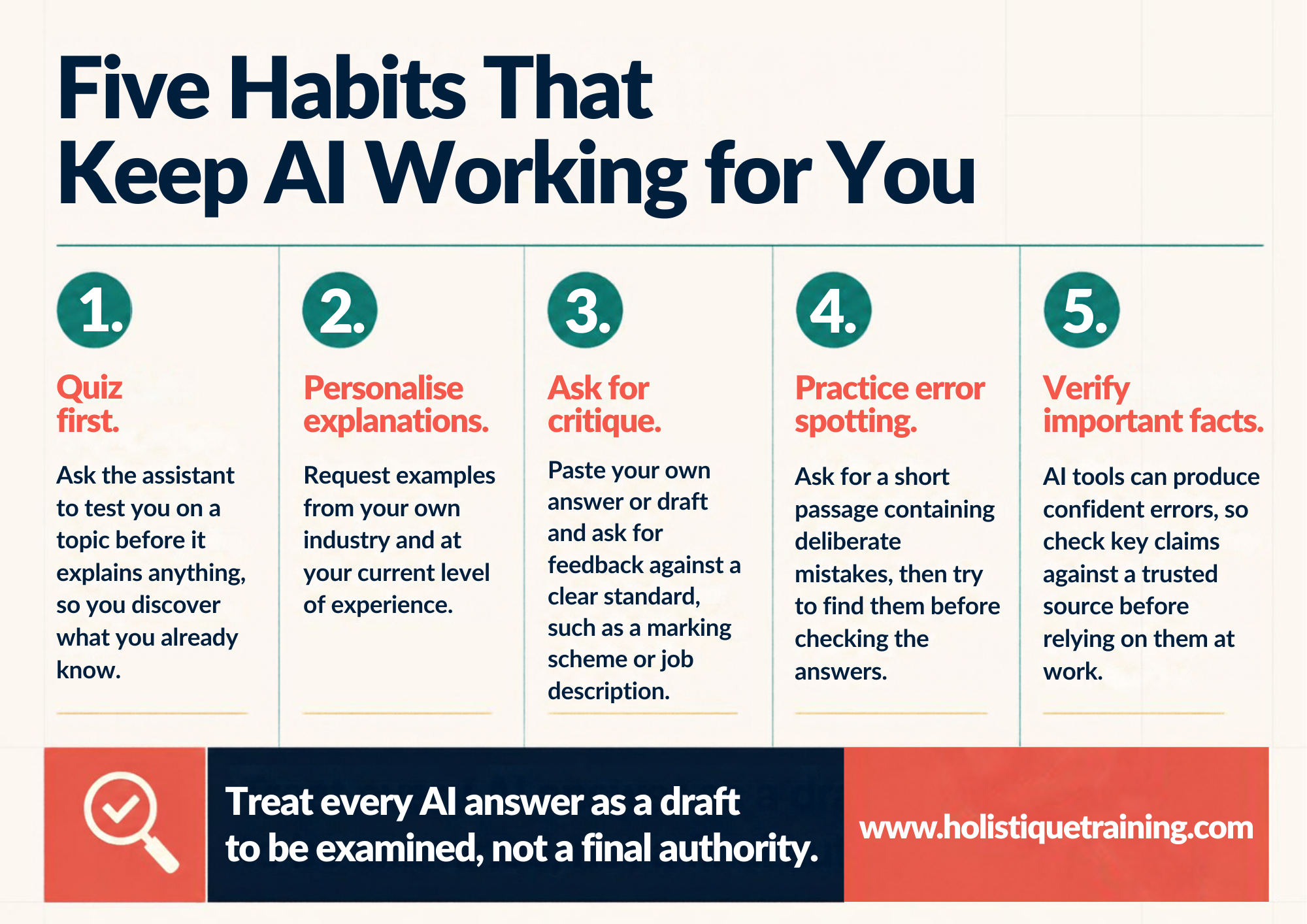
1- Quiz first. Ask the assistant to test you on a topic before it explains anything, so you discover what you already know.
2- Personalise explanations. Request examples from your own industry and at your current level of experience.
3- Ask for critique. Paste your own answer or draft and ask for feedback against a clear standard, such as a marking scheme or job description.
4- Practise error spotting. Ask for a short passage containing deliberate mistakes, then try to find them before checking the answers.
5- Verify important facts.AI tools can produce confident errors, so check key claims against a trusted source before relying on them at work.
Treat every AI answer as a draft to be examined, not a final authority.
Also remember to protect confidential information. Avoid pasting client data, internal documents, or personal details into public AI tools unless your organisation has approved them, and follow any workplace policy on AI use before you share work material.

The rise of artificial intelligence is reshaping how we think, learn, and solve problems. In today’s fast-changing world, learning is no longer a linear process—it’s a dynamic interaction between human insight and machine intelligence. This course introduces the concept of hybrid intelligence and empowers participants to
7- Focus and Time Management Tools for Learners
Consistency beats intensity in self-paced learning, yet consistency is exactly where most people struggle. Calendar and focus tools help you protect learning time from the pressures of the working day, so that study becomes routine rather than a favour you owe yourself.
Practical Tools and Techniques
1- Calendar time blocking: Book learning sessions in Google Calendar or Outlook as you would a meeting. A recurring 40-minute slot on the same days each week builds a routine faster than good intentions.
2- The Pomodoro technique: Work in focused blocks of around 25 minutes, followed by a short break. A simple timer works, and apps such as Forest can help by discouraging phone use.
3- Toggl Track: A time-tracking tool that shows how many hours you actually spend learning each week. Seeing the real figure often prompts realistic adjustments.
4- Trello or Todoist: Simple task boards for tracking modules, assignments, and deadlines. Moving a card from "to do" to "done" gives a small but useful sense of progress.
Protecting Your Learning Time
Choose the time of day when you are most alert, silence notifications, and tell colleagues or family when you are studying. If work regularly disrupts your plans, shorten sessions rather than skipping them entirely, since ten focused minutes still keep the habit alive.

This program emphasises the critical role of productivity in achieving personal success and organisational excellence. Effective task management, team collaboration, and continuous assessment of improvement areas are essential to staying ahead of the competition. Adhering to strict deadlines is crucial to maintaining momentum and progress.
8- Hands-On Practice and Community Tools
Skills are proved through use. Courses and flashcards build knowledge, but colleagues and employers judge you on what you can actually do, so your toolkit needs places to practise and to receive feedback.
Where to Practise
1- Vendor learning sites: Microsoft Learn, AWS Skill Builder, and Google Skillshop offer free learning paths and hands-on labs for their own products, which is ideal for technical and digital marketing skills.
2- Open practice platforms: freeCodeCamp and Kaggle provide free projects and datasets for coding and data analysis, while GitHub lets you publish your work as a visible portfolio.
3- Real workplace projects: Volunteer for a small task that uses your new skill, such as automating a weekly report or leading a short team briefing.
4- Communities and peers: Professional forums, LinkedIn groups, and study partners provide accountability and outside perspectives. Explaining what you have learned to someone else is also one of the fastest ways to expose gaps in your understanding.
A useful rule is to finish every learning module with a small piece of applied work. Even a one-page summary, a short script, or a rough prototype gives you evidence of progress and something concrete to discuss in appraisals or interviews.
9- Matching Tools to Your Skill Goals
Nobody needs every tool described above. A lean toolkit built around one specific goal is more effective than a crowded one. The table below shows how the categories can combine for common professional goals.
Skill Goal | Suggested Tool Mix | Progress Measure |
|---|---|---|
Learn a digital skill such as data analysis | Course platform, practice platform, and a note-taking system | A completed portfolio project |
Pass a professional certification | Vendor learning path, spaced repetition app, and practice exams | Mock exam scores over time |
Improve a language for work | Language app, AI conversation partner, and weekly live speaking | Minutes of speaking practice each week |
Build communication or leadership skills | Short video courses, reflective notes, and peer feedback | Comments from colleagues |
Choosing by Learning Preference
Consider how you prefer to take in information. Some people enjoy video, others prefer reading, audio, or learning by doing. Research has not shown that teaching strictly to a preferred style improves results, but preferences do influence motivation. Choose formats you will actually finish, then deliberately add practice and self-testing whichever format you favour.

Becoming a training and development expert requires education, experience, and skills. These roles identify the organisation's skill gaps and learning needs. Conducting thorough assessments can determine where employees require training to enhance their performance and contribute more effectively to the company's goals. Dedicated training
10- Measuring Progress and Avoiding Common Mistakes
Tools only help if they lead to visible improvement. Build a simple review habit so that you can see what is working and what is not.
Ways to Measure Progress
1- Output: Count what you produce, such as reports written, models built, or presentations delivered.
2- Assessment results: Use quizzes, practice exams, and course assessments to track scores over time.
3- Feedback: Ask a colleague or manager to comment on a task you completed using the new skill.
4- Time saved: Record how much faster or more accurately you complete routine tasks.
Common Mistakes to Avoid
1- Tool hopping: Switching apps every week in search of the perfect system wastes energy. Keep a simple setup for at least a month before changing it.
2- Collecting courses: Buying more courses than you can finish creates guilt rather than skill. Limit yourself to one active course per skill.
3- Passive learning: Watching without practising leads to weak recall. Apply each lesson to a real task within a few days.
4- Overloading your schedule: Ambitious plans collapse under pressure. Start small and increase your commitment only when the routine feels easy.
Once a month, spend fifteen minutes reviewing your notes, scores, and completed work. Ask which tools you actually used, which ones you ignored, and what one change would make next month easier. This brief habit keeps your toolkit lean and your learning aligned with real priorities.
11- Conclusion
The best tools for self-paced learning are the ones that fit your goal, your schedule, and your working life. Course platforms provide structure, note-taking systems preserve knowledge, spaced repetition apps protect memory, AI tutors offer personalised support, and planning tools keep you consistent. Practice environments and communities then turn all of this into real capability. None of these categories is essential on its own, but together they form a toolkit that can support steady skill improvement over months and years.
Start small. Write a clear goal, choose one course platform and one note-taking tool, and add a spaced repetition app or AI assistant once your routine is stable. Review your progress every few weeks, remove anything that is not helping, and keep applying new skills to real tasks. With a simple system and consistent effort, self-paced learning becomes a dependable way to stay adaptable in a changing labour market.